Nothing between you and the words
Only the page and your words. No red squiggles under every name you’ve invented, no grammar nagging, no toolbars, nothing popping up to ask you something. Just a quiet line at the bottom that says which chapter you’re in and how many words you’ve written.
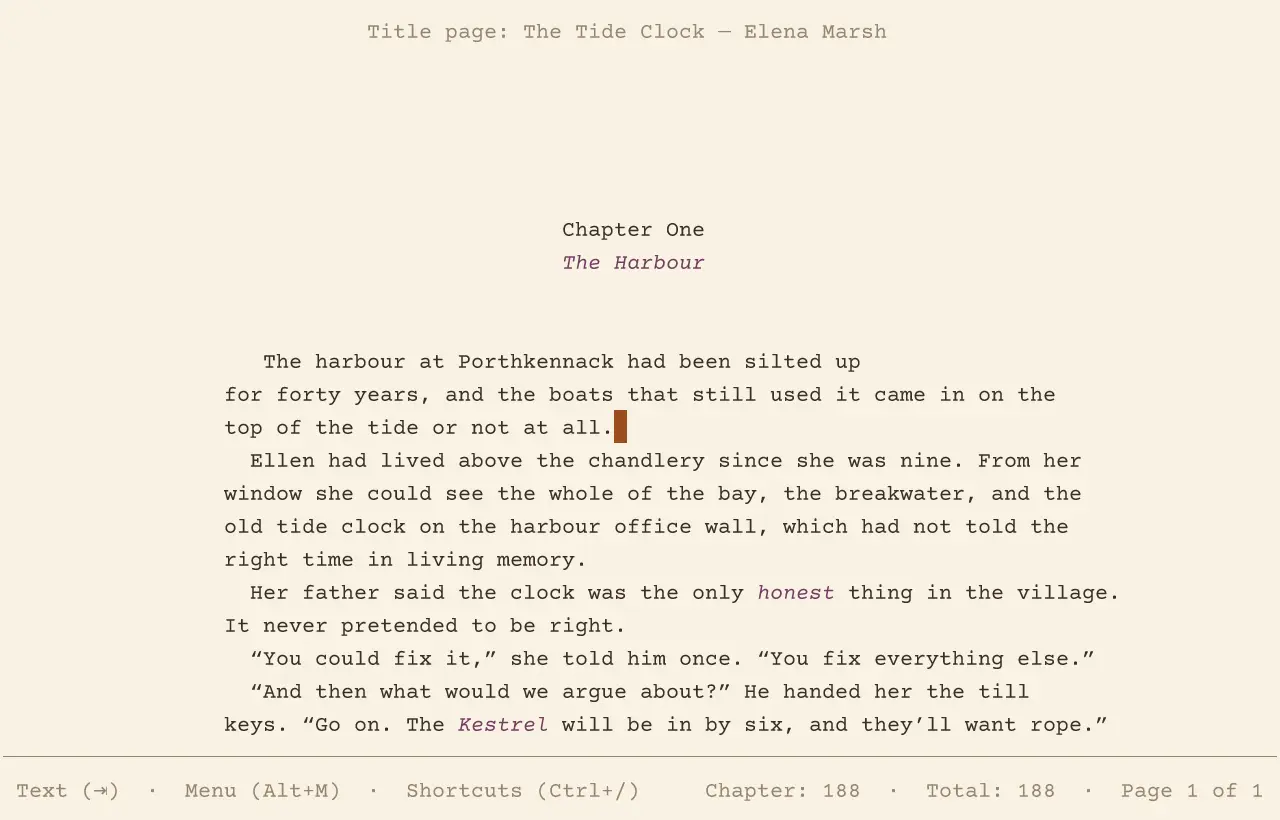
It’s made for the keyboard, so your hands never leave the words. Everything else is in one menu: press the Escape key, top left, and every command is listed in plain words, with a sentence about what it does. You never need to remember anything, though you’ll find you learn the shortcuts as you go.
Your work saves itself whenever you stop to think. When you come back, it opens where you left off, and you carry on.
A home for every stray sentence
Every writer knows the sentence that’s too good to throw away and doesn’t belong where it is. Cut it, and Perfect Day keeps it for you: a few words of it wait quietly in the margin until you’ve found it a home, and then you put it back with a keystroke.
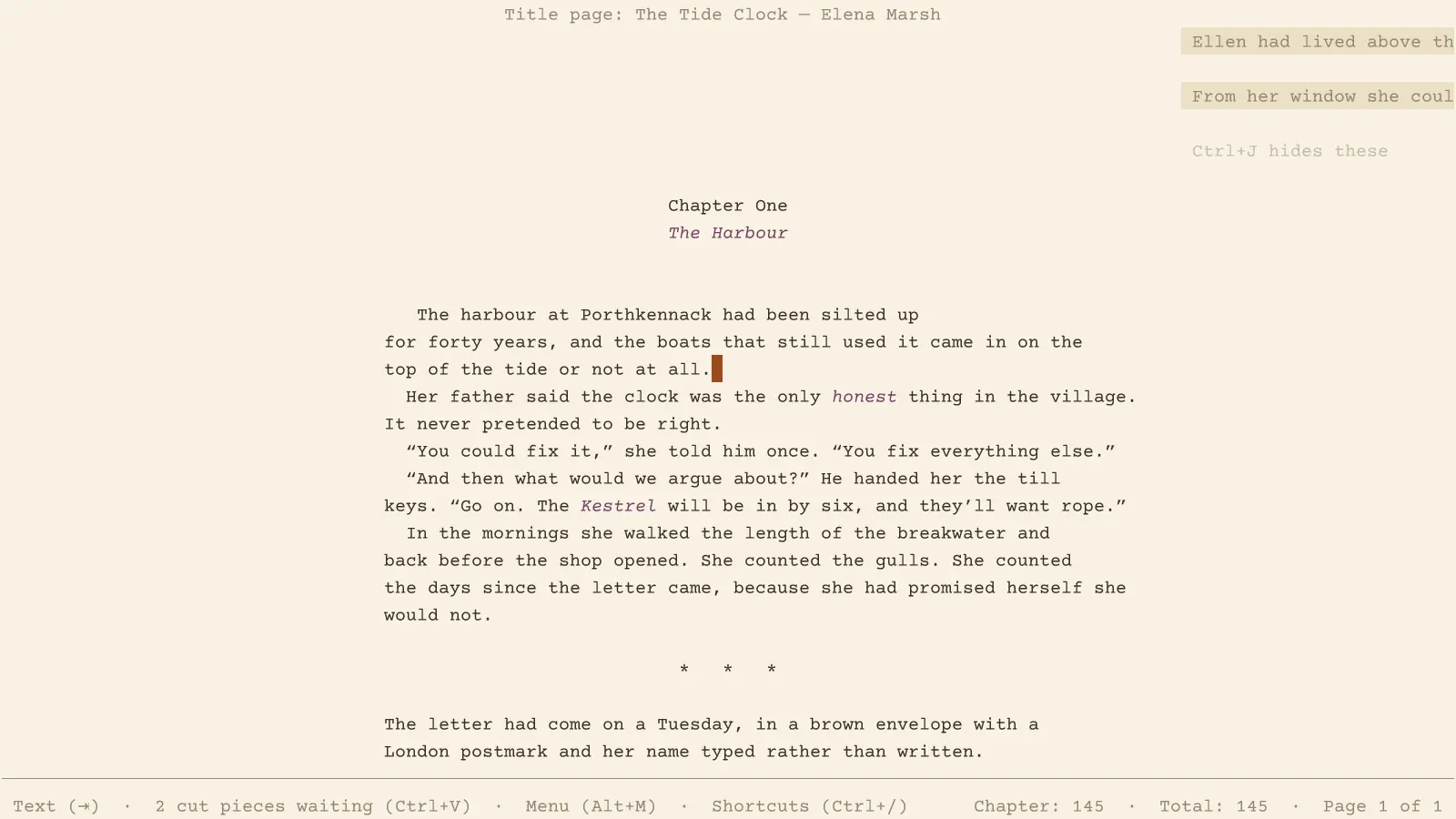
Nothing you cut, delete or type over is ever really gone. It all goes into your scrapbook, kept for good: gathered under the chapter it came from, dated, and easy to search. The line you took out in March is still there in June, when you finally know where it goes.
And when the second draft comes, reshaping the book is just as easy: carry a paragraph up or down, or put the chapters and scenes in a new order from an outline of the whole book.
Never lose a word
There’s nothing to remember. Your work saves itself whenever you pause, and every change is put safely aside within a couple of seconds, so if the power goes or the computer stops, it’s all there when you come back, just as you left it.
Earlier versions are kept too, quietly: every few minutes today, then each day, then each week, for as long as you’re writing. You can look back at the book as it was last month and copy a passage out of it.
And it goes wherever you write: on a Mac, on a tablet with a keyboard, or on a little writing machine of its own.
Beautiful formatting, industry standards
When you look up from the words, they’re already set beautifully. The screen is the page: every line ends where it will end on paper, in the same lovely typeface, set as a careful printer would set it.
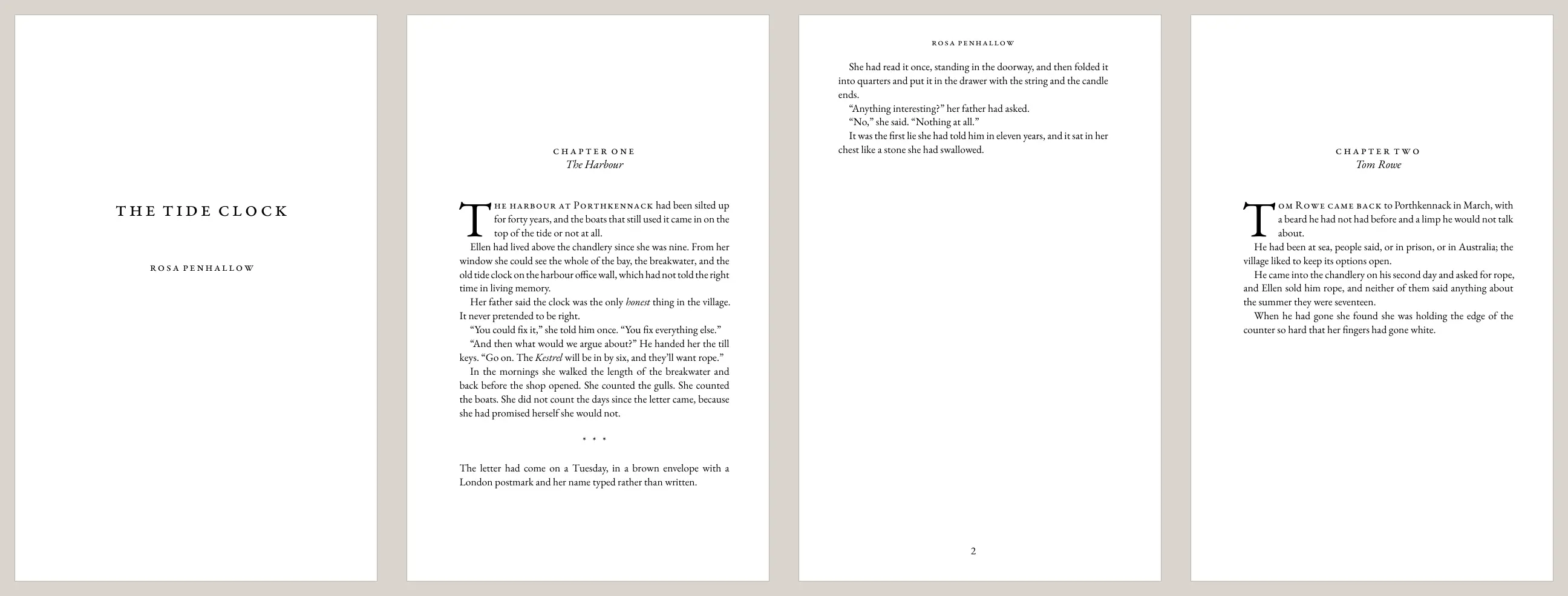
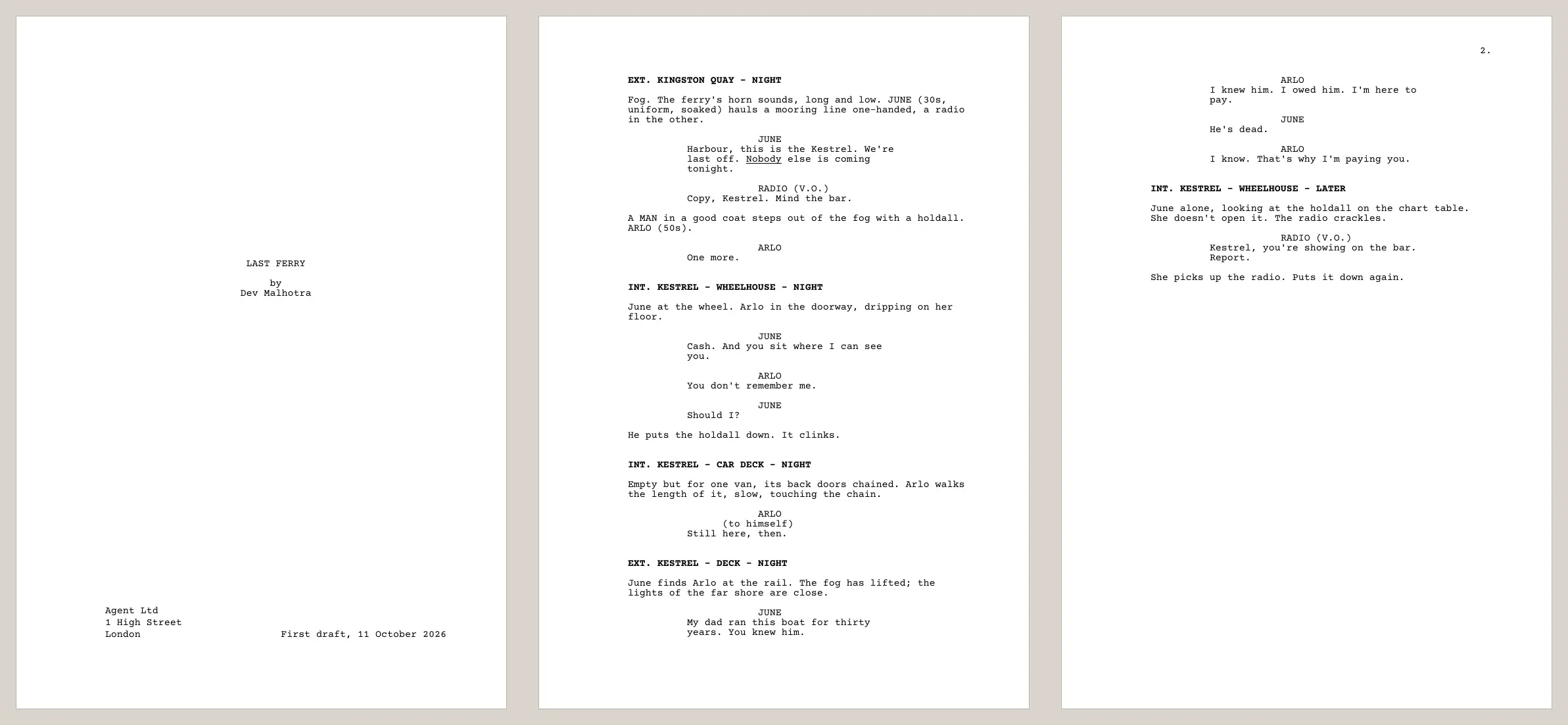
A novel is laid out as a real paperback, with a title page, chapters that open with a large first letter, page numbers and running heads; or as the neat double-spaced manuscript agents ask for. A screenplay follows the BBC’s layout, and its page count is its running time. An article is set as a magazine feature and counts its words against your commission.
When you’re ready to share, it makes a PDF to print or send, and opens and saves Word and Final Draft files too.
Begin
Download Perfect Day for your computer, open it, and it fills the screen with a fresh page. There’s nothing to set up and nothing to learn first.
Mac
Open the download and drag Perfect Day into Applications.
Download for Macor try the next version (beta)
The first time, your Mac may say it can’t check the app. Open System Settings, then Privacy & Security, and choose “Open Anyway”.
Windows
Unzip the download and open Perfect Day.
Download for Windows (beta)The Windows version is new and still being tried out. The first time, Windows may warn you about an unrecognised app: choose “More info”, then “Run anyway”.
Linux
Unpack the download and run install.sh; Perfect Day appears in your applications.
Download for LinuxNew to it? The guide explains the parts of a journal, a novel, a script and an article, and what Perfect Day does for you as you type.
Each download also has a version that runs in a terminal, started by typing pd, for the technically minded.